Got a few ideas?Keep them all, and finish the ones that matter.
Never lose an idea again. Get back into any project in seconds. Give one thing your full attention, and finish what you start, without forcing your mind to work in order.
Free, in Arabic and English, and it works on your phone.

The loop
Capture. Park. Return. Focus. Finish.
- 1
Capture
A new idea arrives. Save it in seconds. It's safe, and you can stop holding it.
- 2
Park
Tell it when to come back: next week, after this project, or whenever you visit the garden.
- 3
Return
Go straight back to your project. When you come back later, KzaFekra tells you where you were.
- 4
Focus
When you're ready, open a focus session. The project fills the screen; new thoughts are saved without leaving.
- 5
Finish
Reach “done enough” and close the loop. The ideas that were waiting come back, and now there's room.
What changes for you
Hold less. Finish more.
Not a stricter to-do list. A place that holds your ideas, remembers your context, gives one project your attention, and helps you close loops.
Idea garden
No idea gets lost, and none takes over.
Plant every idea, park it with a time to come back, explore it, turn it into a project, or let it go without guilt.
- 🌰 Planted
- 💤 Resting
- 🌱 Exploring
- 🌸 Project
- 🍂 Let go
Capture in seconds
Save it, and get straight back to work.
An idea, a voice note, a task, a link or a cost. Two taps, then one button back to what you were doing.
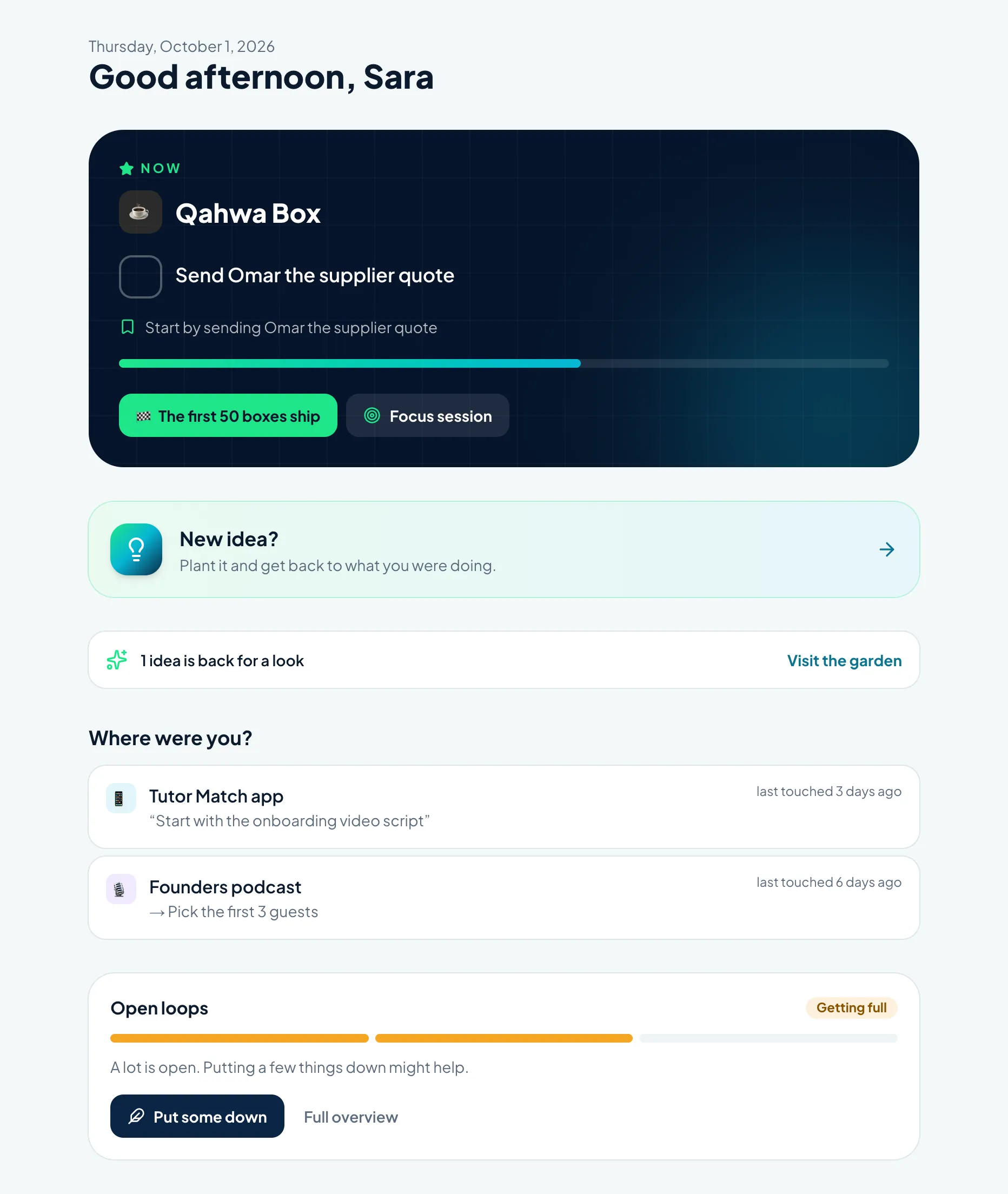
Where were you?
Back into any project in seconds.
Come back after two weeks and the project greets you: your note to yourself, why you started, what you did last and what's new.
Where were you?
Tutor Match app
“Start with the onboarding video script”
Finish mode
Reach the end instead of polishing forever.
Decide what “done enough” means, name what's in the way, and move nice-to-haves to “later” so they stop holding the project hostage.
Lighten the load
A lighter head, without losing anything.
A calm sense of how much is open instead of scary numbers, and a one-at-a-time way to put things down safely.
Money, still visible
Know what each idea really costs.
One-time, recurring, planned and shared costs per project. No surprises.
Focus sessions
Full attention on one project, without switching off the rest of your mind.
Open, timed, Pomodoro or short bursts: your way. The project fills the screen, and anything that comes up is saved without leaving.
- Open
- Set time
- Pomodoro
- Short bursts
Finishing
Finish more of what you start.
Starting is exciting; the last 10% is where things stall. Finish mode keeps only what's needed to reach “done enough”, names what's in the way, and ends with a moment worth remembering. Your finished shelf grows, not a points counter.
What usually gets in the way: Testing, Publishing, Too many details, It got boring, Waiting on someone.
What KzaFekra won't do
No guilt, no points for starting things, no one deciding your priorities for you.
- Rank your life
- Reward starting
- Nag you
- Turn work into a game
- Make you linear
FAQ
Questions, answered.
Why is it called KzaFekra?
“Kza fekra” (كذا فكرة) is Arabic for “a few ideas.” If your head always has more than one thing going, this was built for you.
Who is it for?
For people whose thinking jumps: many ideas, many starts, coming back after breaks, changing direction. If straight-line to-do apps never fit you, KzaFekra will.
Is this another to-do app?
No. It's built around capturing, parking, returning and finishing, not endless task lists. Projects have one next step, not fifty.
Is there a Pomodoro timer?
There are focus sessions: open, timed, Pomodoro or short bursts. The timer is optional. The point is a clear space with one project in front, where anything that comes up is saved without leaving.
What happens to ideas I don't act on?
They live in your idea garden, resting until the time you chose. You can explore them, turn them into projects, or let them go. Nothing is lost.
How do I get access?
Join the waitlist with your email and a password. We're opening accounts in small groups, and you'll hear from us as soon as yours is active. Have an invite code? You're in right away.
Does it work in Arabic?
Fully. Switch between Arabic and English at any time, and the whole interface flips direction, not just the words.
Who can see my data?
Only you. Projects, ideas, voice notes, files and money records are private to your account.